Example gallery
These examples cover the main ways to use anihmm, from generated paths to
fully custom sequences. See the Quickstart for setup or the
Sequence builder for custom-path rules.
Random output
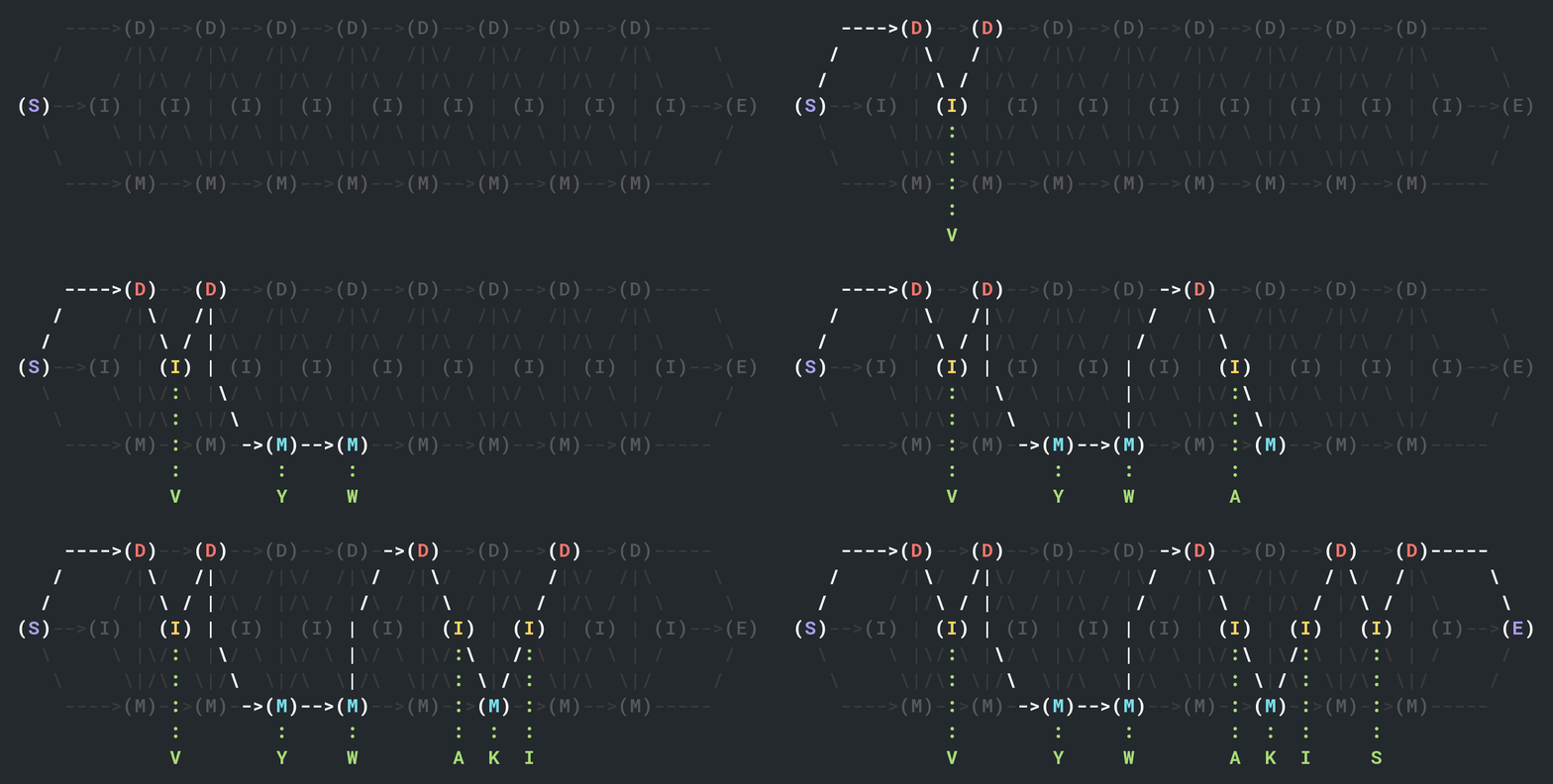
Set emissions to a number to show exactly that many random amino-acid symbols
while your code runs. Match and insertion states emit symbols; deletion states
do not.
Source: random_emissions.py
"""Emit an exact number of random amino-acid symbols on a random path."""

from __future__ import annotations

import time

from rich.console import Console

from anihmm import PlaybackOptions, ProcessingOptions, processing_animation

COLUMNS = 8
SEED = 3
EMISSIONS = 7
FPS = 16.0
WORK_SECONDS = 0.6


def build_options(*, seed: int | None = SEED) -> ProcessingOptions:
    """Return the processing configuration shown by this example."""

    return ProcessingOptions.random(columns=COLUMNS, seed=seed, emissions=EMISSIONS)


def analyze_sequences() -> None:
    """Stand in for application work performed while symbols are emitted."""
    time.sleep(WORK_SECONDS)


def main(console: Console | None = None) -> None:
    console = console or Console()
    with processing_animation(
        build_options(),
        PlaybackOptions(
            fps=FPS,
            repeat=False,
            console=console,
        ),
    ) as session:
        analyze_sequences()
        session.wait()


if __name__ == "__main__":
    main()
Fixed text
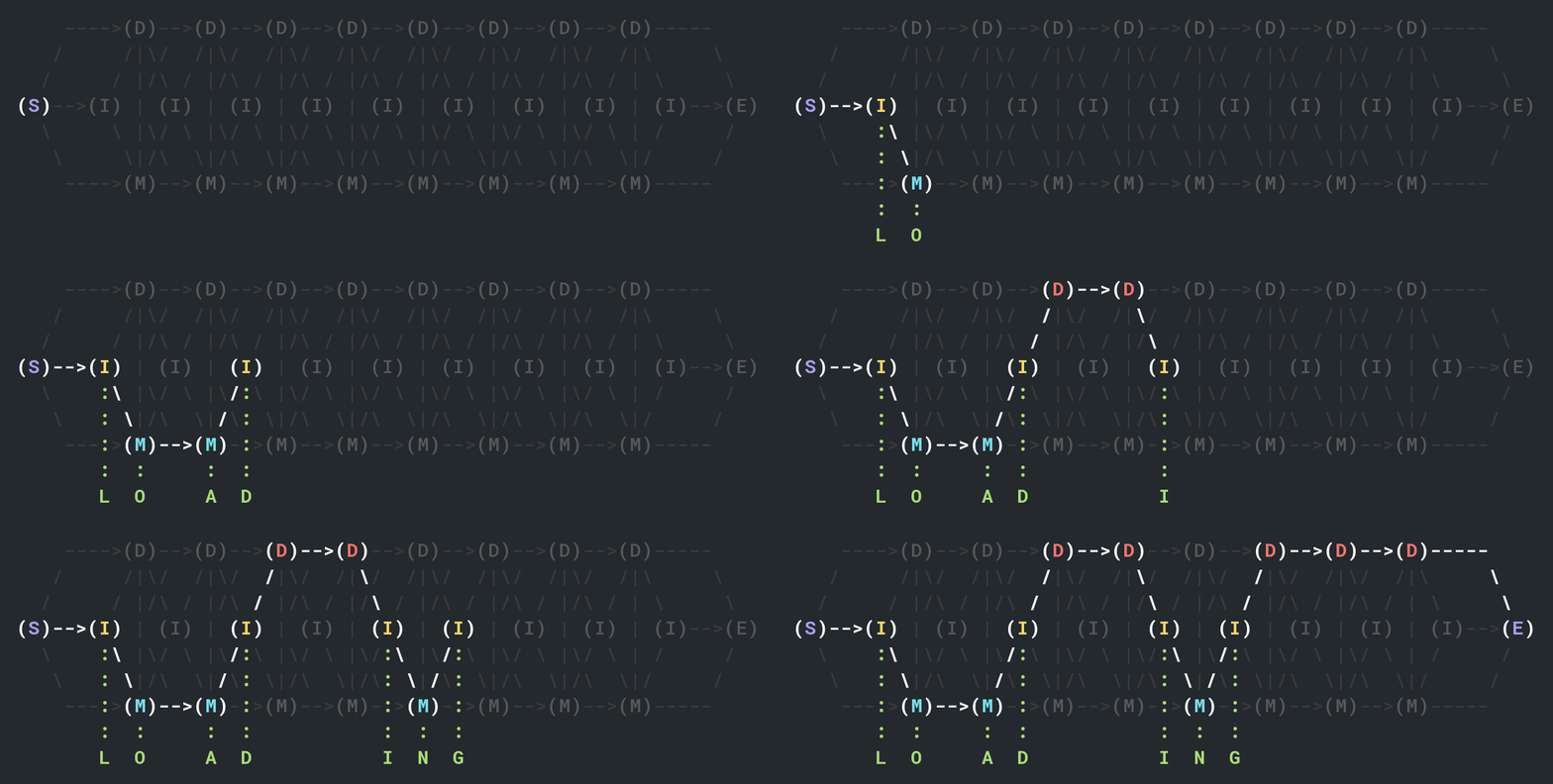
Set emissions="LOADING" to write a known message along the path while your
code runs. Your function behaves normally; anihmm only manages the terminal
display.
Source: fixed_text.py
"""Show fixed text on a reproducible random HMM path."""

from __future__ import annotations

import time

from rich.console import Console

from anihmm import PlaybackOptions, ProcessingOptions, processing_animation

COLUMNS = 8
SEED = 11
EMISSIONS = "LOADING"
FPS = 16.0
WORK_SECONDS = 0.6


def build_options(*, seed: int | None = SEED) -> ProcessingOptions:
    """Return the processing configuration shown by this example."""

    return ProcessingOptions.random(columns=COLUMNS, seed=seed, emissions=EMISSIONS)


def load_records() -> None:
    """Stand in for application work performed while the status is visible."""
    time.sleep(WORK_SECONDS)


def main(console: Console | None = None) -> None:
    console = console or Console()
    with processing_animation(
        build_options(),
        PlaybackOptions(
            fps=FPS,
            repeat=False,
            console=console,
        ),
    ) as session:
        load_records()
        session.wait()


if __name__ == "__main__":
    main()
Fixed text on changing paths
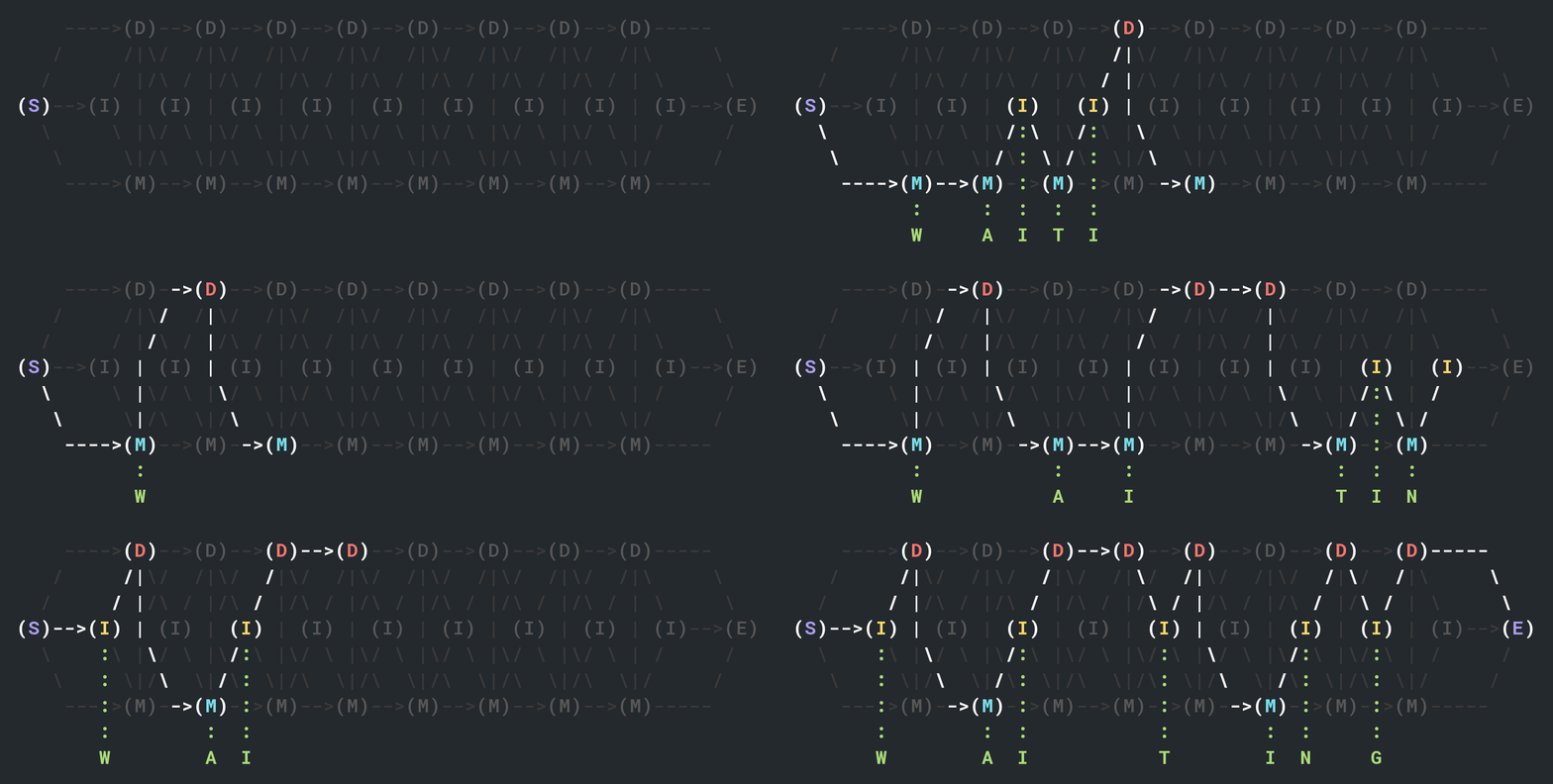
Use a reusable frame_source() when each loop should take a different route
through the HMM. The path changes, but the displayed message stays the same.
Source: changing_paths.py
"""Keep fixed text while choosing a fresh random path on each loop."""

from __future__ import annotations

import time

from rich.console import Console

from anihmm import AnimationSession, HMMFrame, ProcessingOptions

COLUMNS = 8
EMISSIONS = "WAITING"
FPS = 16.0
SEED = 5
PATH_COUNT = 3
WORK_SECONDS = 2.2


def build_options(*, seed: int | None = SEED) -> ProcessingOptions:
    """Return the processing configuration shown by this example."""

    return ProcessingOptions.random(columns=COLUMNS, seed=seed, emissions=EMISSIONS)


def build_changing_frames() -> list[HMMFrame]:
    """Build three reproducible paths from the incrementing frame source."""

    source = build_options().frame_source()
    return [frame for _ in range(PATH_COUNT) for frame in source()]


def wait_for_results() -> None:
    """Stand in for longer work while several paths are displayed."""
    time.sleep(WORK_SECONDS)


def main(console: Console | None = None) -> None:
    console = console or Console()
    with AnimationSession(
        build_changing_frames(),
        fps=FPS,
        repeat=False,
        console=console,
    ) as session:
        wait_for_results()
        session.wait()


if __name__ == "__main__":
    main()
Processing a block of work
Put synchronous work inside processing_animation() to keep the animation
running until the block exits. The work can return values as usual.
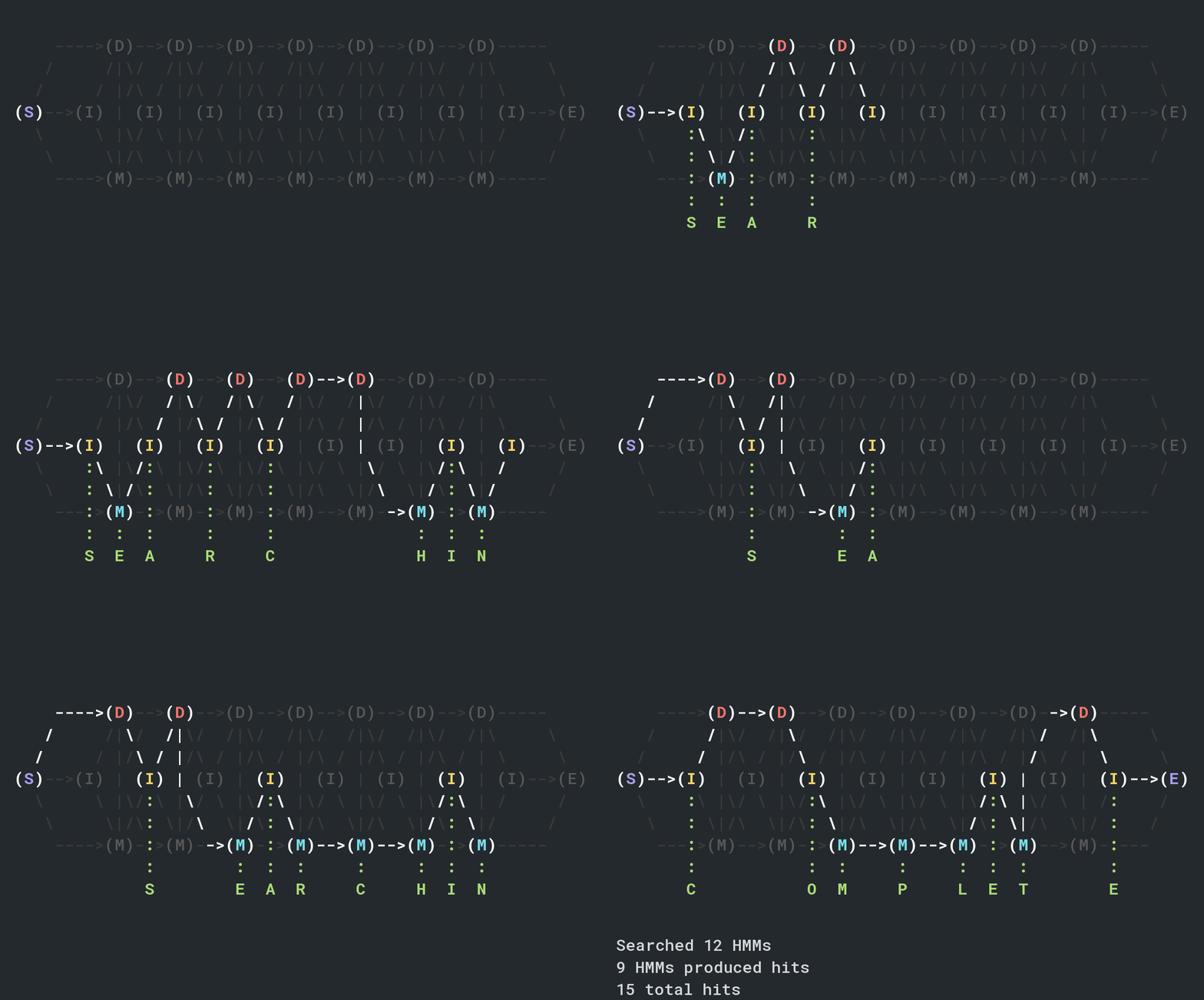
When the work finishes, the animation gives the terminal back cleanly—even if it was midway through a path. You can then replace it with a final frame and print the results.
Source: processing_demo.py
"""Animate a small block of dummy work and return placeholder results."""

from __future__ import annotations

import time

from rich.console import Console

from anihmm import PlaybackOptions, ProcessingOptions
from anihmm.models import HMMFrame
from anihmm.playback import print_frame_in_place, processing_animation
from anihmm.presets import build_random_path_frame

COLUMNS = 7
FPS = 16.0
WORK_SECONDS = 5.5
SEARCH_EMISSIONS = "SEARCHING"
COMPLETE_EMISSIONS = "COMPLETE"
SEARCH_SEED = 13
COMPLETE_SEED = 23
DUMMY_HIT_COUNTS = (1, 0, 1, 1, 0, 2, 3, 1, 0, 1, 3, 2)


def build_search_options(*, seed: int | None = SEARCH_SEED) -> ProcessingOptions:
    """Return the processing configuration shown by this example."""

    return ProcessingOptions.random(
        columns=COLUMNS,
        seed=seed,
        emissions=SEARCH_EMISSIONS,
    )


def build_complete_frame(*, seed: int | None = COMPLETE_SEED) -> HMMFrame:
    """Build the completed frame printed after the work finishes."""

    if seed is None:
        return build_random_path_frame(
            columns=COLUMNS,
            emissions=COMPLETE_EMISSIONS,
        )
    return build_random_path_frame(
        columns=COLUMNS,
        seed=seed,
        emissions=COMPLETE_EMISSIONS,
    )


def run_demo(console: Console | None = None) -> list[int]:
    """Wait briefly inside an animation and return dummy HMM hit counts."""

    console = console or Console()
    with processing_animation(
        build_search_options(),
        PlaybackOptions.background(
            fps=FPS,
            console=console,
        ),
    ):
        time.sleep(WORK_SECONDS)
        hit_counts = list(DUMMY_HIT_COUNTS)

    print_frame_in_place(
        build_complete_frame(),
        console=console,
    )
    return hit_counts


def summarize_results(hit_counts: list[int]) -> tuple[int, int, int]:
    """Return HMMs searched, HMMs with hits, and total hits."""

    return (
        len(hit_counts),
        sum(count > 0 for count in hit_counts),
        sum(hit_counts),
    )


def result_lines(hit_counts: list[int]) -> tuple[str, str, str]:
    """Format the three result lines printed after the animation."""

    hmms_searched, hmms_with_hits, total_hits = summarize_results(hit_counts)
    hmm_label = "HMM" if hmms_with_hits == 1 else "HMMs"
    return (
        f"Searched {hmms_searched} HMMs",
        f"{hmms_with_hits} {hmm_label} produced hits",
        f"{total_hits} total hits",
    )


def main(console: Console | None = None) -> list[int]:
    """Run the complete terminal example and return its dummy hit counts."""

    console = console or Console()
    console.print("")
    hit_counts = run_demo(console)
    console.print("")
    for line in result_lines(hit_counts):
        console.print(line)
    return hit_counts


if __name__ == "__main__":
    main()
Progress driven by completed work
Call advance() whenever a unit of work finishes. Until then, the animation
scans the legal next states; afterward, it settles on your chosen state and
continues from there. After an insertion, its pointer flashes between the D
and M previews so the rhythm stays consistent.
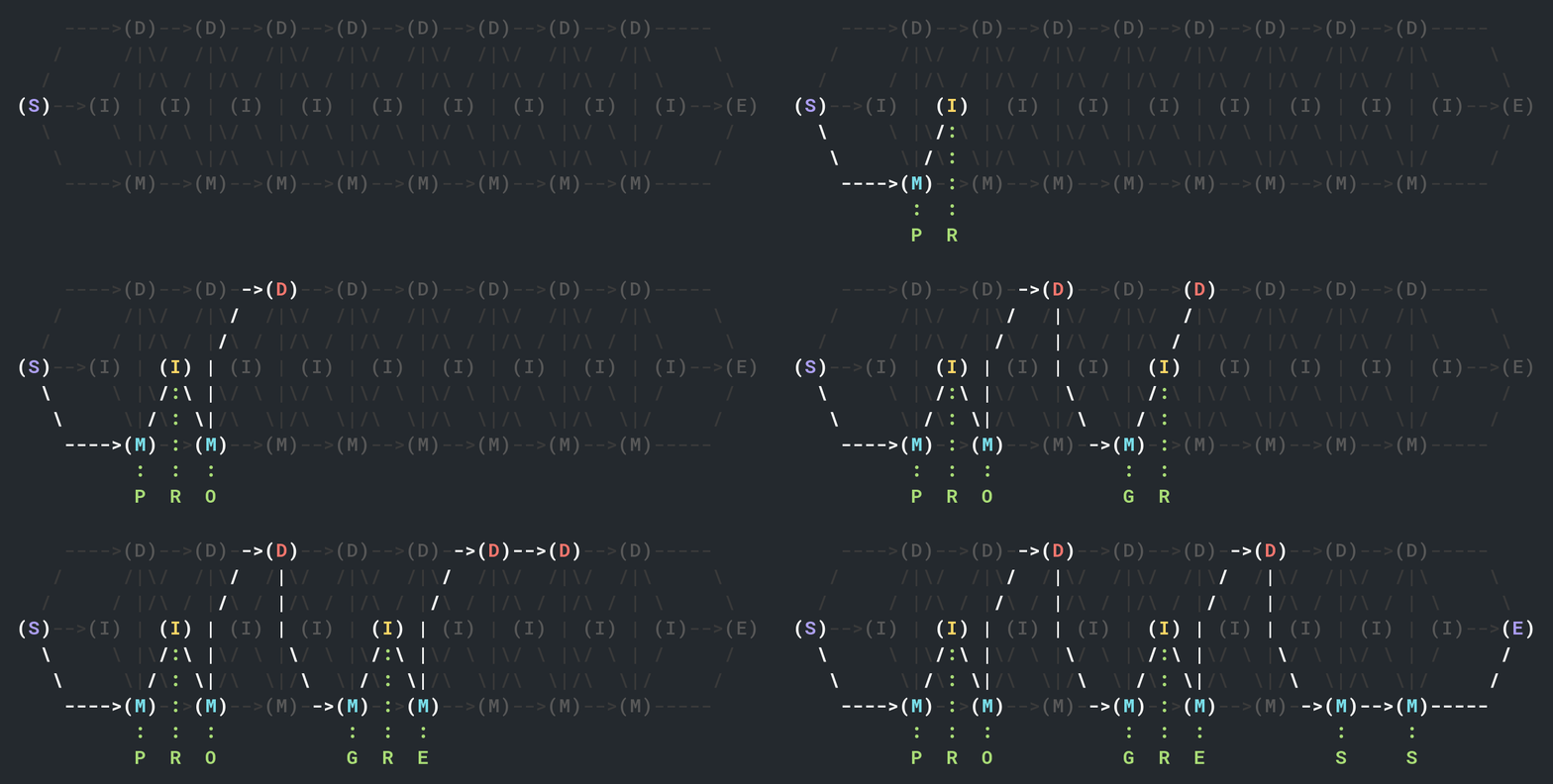
Match and insertion states need a symbol; deletion states do not. This path
uses both emitting state types to spell PROGRESS, then finish() moves it to
E.
Source: progress_indicator.py
"""Advance an HMM path as individual units of work complete."""

from __future__ import annotations

import time

from rich.console import Console

from anihmm import ProgressSession, progress_animation

COLUMNS = 8
FPS = 8.0
SETTLE_SECONDS = 0.25
STEP_SECONDS = 2
PATH: tuple[tuple[str, str | None], ...] = (
    ("M", "P"),
    ("I", "R"),
    ("M", "O"),
    ("D", None),
    ("M", "G"),
    ("I", "R"),
    ("M", "E"),
    ("D", None),
    ("M", "S"),
    ("M", "S"),
)


def run_step() -> None:
    """Stand in for one unit of application work."""
    time.sleep(STEP_SECONDS)


def advance_path(session: ProgressSession) -> None:
    """Advance the configured path as each unit of work completes."""
    for state, emission in PATH:
        run_step()
        session.advance(state, emission=emission)
    session.finish()


def main(console: Console | None = None) -> None:
    console = console or Console()
    with progress_animation(
        columns=COLUMNS,
        fps=FPS,
        settle_seconds=SETTLE_SECONDS,
        console=console,
    ) as session:
        advance_path(session)


if __name__ == "__main__":
    main()
Custom sequence
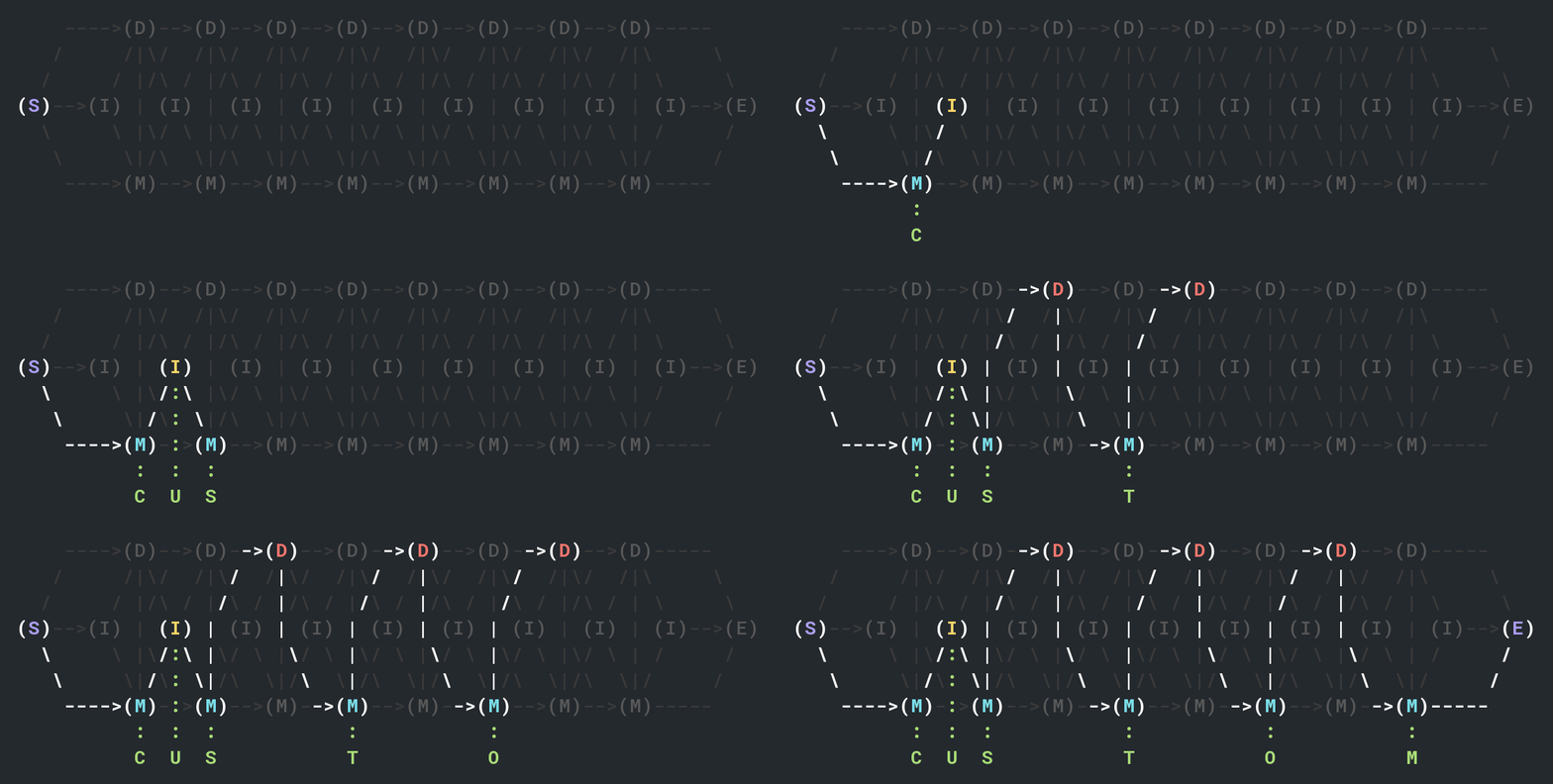
Use HMMSequence when you want to choose the exact path. Call settle() to
select a state and emit() to give a match or insertion its symbol. Once the
path is ready, compile_steps() turns it into playable frames.
This sequence spells CUSTOM, using explicit deletion states to spread the
letters across the model before moving to E.
Source: custom_sequence.py
"""Build an exact HMM path and play it around a block of work."""

from __future__ import annotations

from rich.console import Console

from anihmm import AnimationSession, HMMFrame, HMMSequence, compile_steps

COLUMNS = 8
FPS = 10.0


def build_custom_frames() -> list[HMMFrame]:
    sequence = HMMSequence(columns=COLUMNS)
    for state, symbol in (
        ("M", "C"),
        ("I", "U"),
        ("M", "S"),
        ("D", None),
        ("M", "T"),
        ("D", None),
        ("M", "O"),
        ("D", None),
        ("M", "M"),
    ):
        sequence.settle(state)
        if symbol is not None:
            sequence.emit(symbol)
    sequence.finish()

    start = HMMFrame(columns=COLUMNS, active_nodes={"S"})
    return [start, *compile_steps(sequence.build(), columns=COLUMNS)]


def main(console: Console | None = None) -> None:
    console = console or Console()
    with AnimationSession(
        build_custom_frames(),
        fps=FPS,
        repeat=False,
        console=console,
    ) as session:
        session.wait()


if __name__ == "__main__":
    main()
Automatic deletion completion
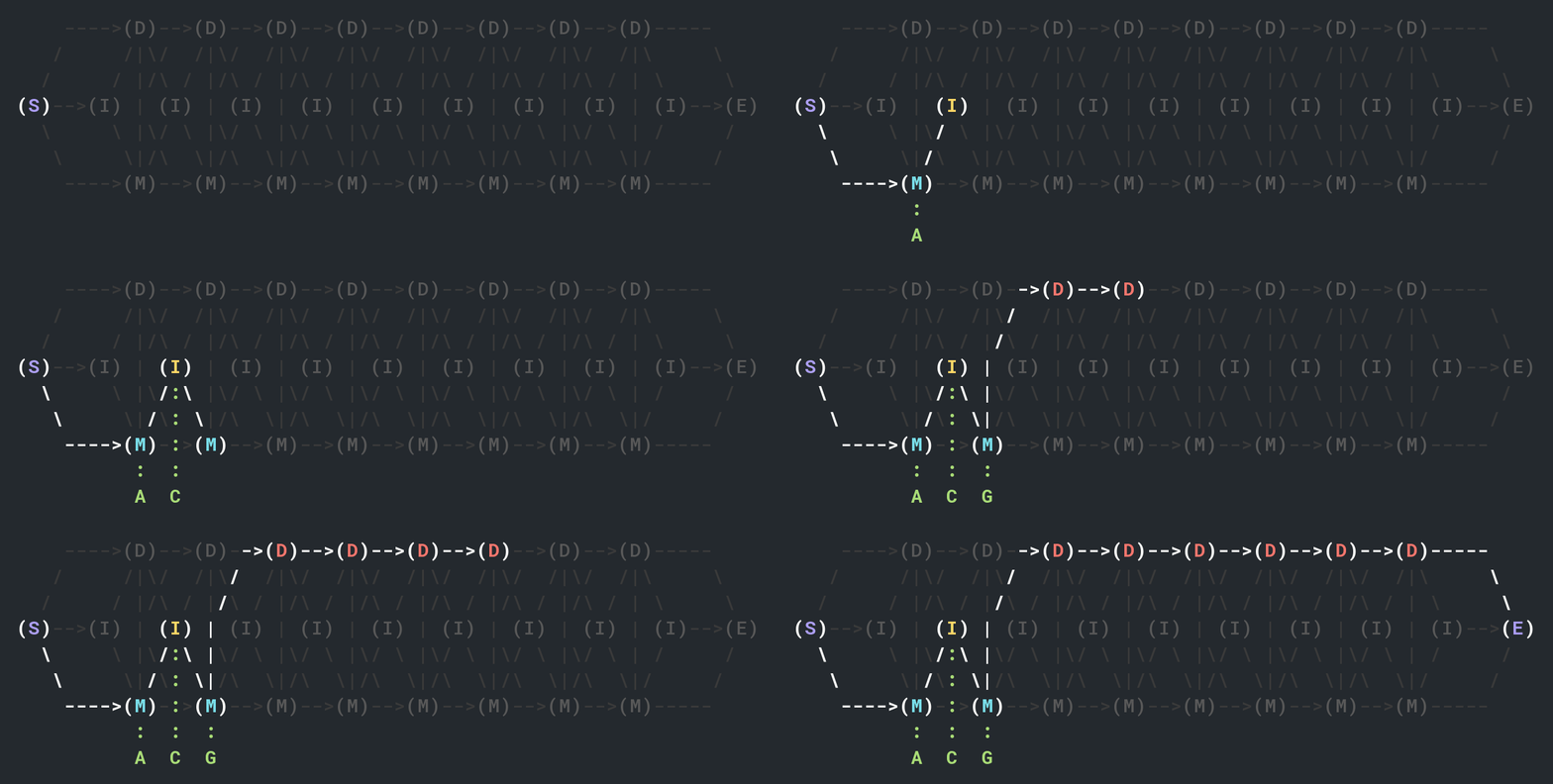
Call finish() on a partial bounded sequence and anihmm fills the unused
columns with deletion states before moving to E. You do not need to add those
final deletions yourself.
Source: delete_completion.py
"""Finish a partial bounded path through automatic deletion states."""

from __future__ import annotations

from rich.console import Console

from anihmm import AnimationSession, HMMFrame, HMMSequence, compile_steps

COLUMNS = 8
FPS = 8.0


def build_delete_completion_frames() -> list[HMMFrame]:
    sequence = HMMSequence(columns=COLUMNS)
    sequence.settle("M").emit("A")
    sequence.settle("I").emit("C")
    sequence.settle("M").emit("G")
    sequence.finish()

    start = HMMFrame(columns=COLUMNS, active_nodes={"S"})
    return [start, *compile_steps(sequence.build(), columns=COLUMNS)]


def main(console: Console | None = None) -> None:
    console = console or Console()
    with AnimationSession(
        build_delete_completion_frames(),
        fps=FPS,
        repeat=False,
        console=console,
    ) as session:
        session.wait()


if __name__ == "__main__":
    main()
Transition previews
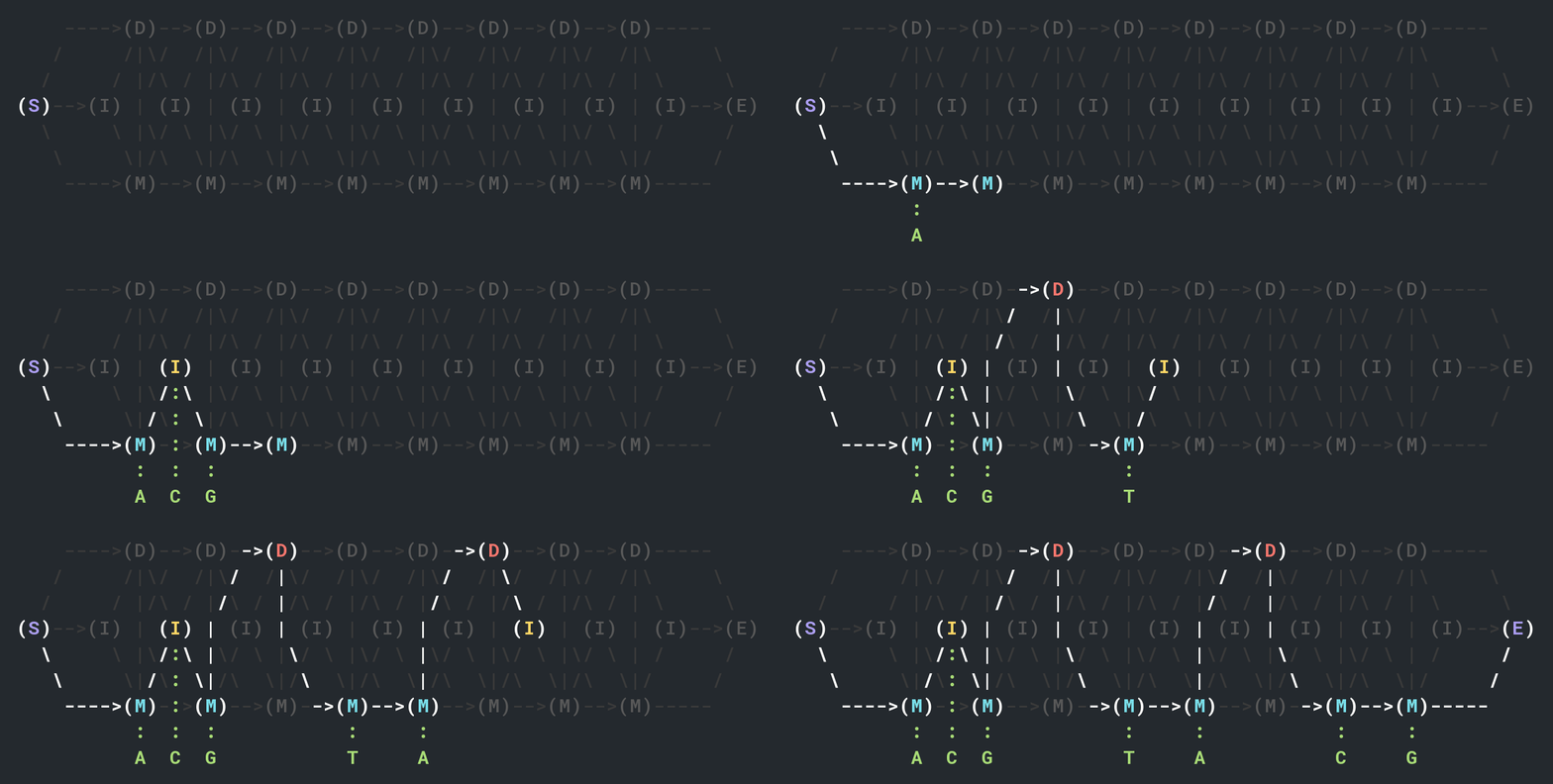
Use cycle() to preview the legal next states, then call settle() to choose
one. Playback shows both the possibilities and the final choice.
Source: transition_previews.py
"""Preview every legal transition before settling on a chosen state."""

from __future__ import annotations

from rich.console import Console

from anihmm import AnimationSession, HMMFrame, HMMSequence, compile_steps

COLUMNS = 8
FPS = 10.0


def build_transition_preview_frames() -> list[HMMFrame]:
    sequence = HMMSequence(columns=COLUMNS)
    for candidates, state, symbol in (
        (("D", "I", "M"), "M", "A"),
        (("D", "I", "M"), "I", "C"),
        (("D", "M"), "M", "G"),
        (("D", "I", "M"), "D", None),
        (("D", "I", "M"), "M", "T"),
        (("D", "I", "M"), "M", "A"),
        (("D", "I", "M"), "D", None),
        (("D", "I", "M"), "M", "C"),
        (("D", "I", "M"), "M", "G"),
    ):
        for candidate in candidates:
            sequence.cycle(candidate)
        sequence.settle(state)
        if symbol is not None:
            sequence.emit(symbol)
    sequence.finish()

    start = HMMFrame(columns=COLUMNS, active_nodes={"S"})
    return [start, *compile_steps(sequence.build(), columns=COLUMNS)]


def main(console: Console | None = None) -> None:
    console = console or Console()
    with AnimationSession(
        build_transition_preview_frames(),
        fps=FPS,
        repeat=False,
        console=console,
    ) as session:
        session.wait()


if __name__ == "__main__":
    main()